AI Jewelry Photo Enhancer
A designer picks a photo and clicks Enhance. AI adds a studio background and keeps the design exactly the same.
Client: Todd Michael, jewelry designer with 35+ years of experience, USA
- per photo
- 1–2 min
- photos to clean up
- 5,000+
- review and a profit-share offer
- 5.0★
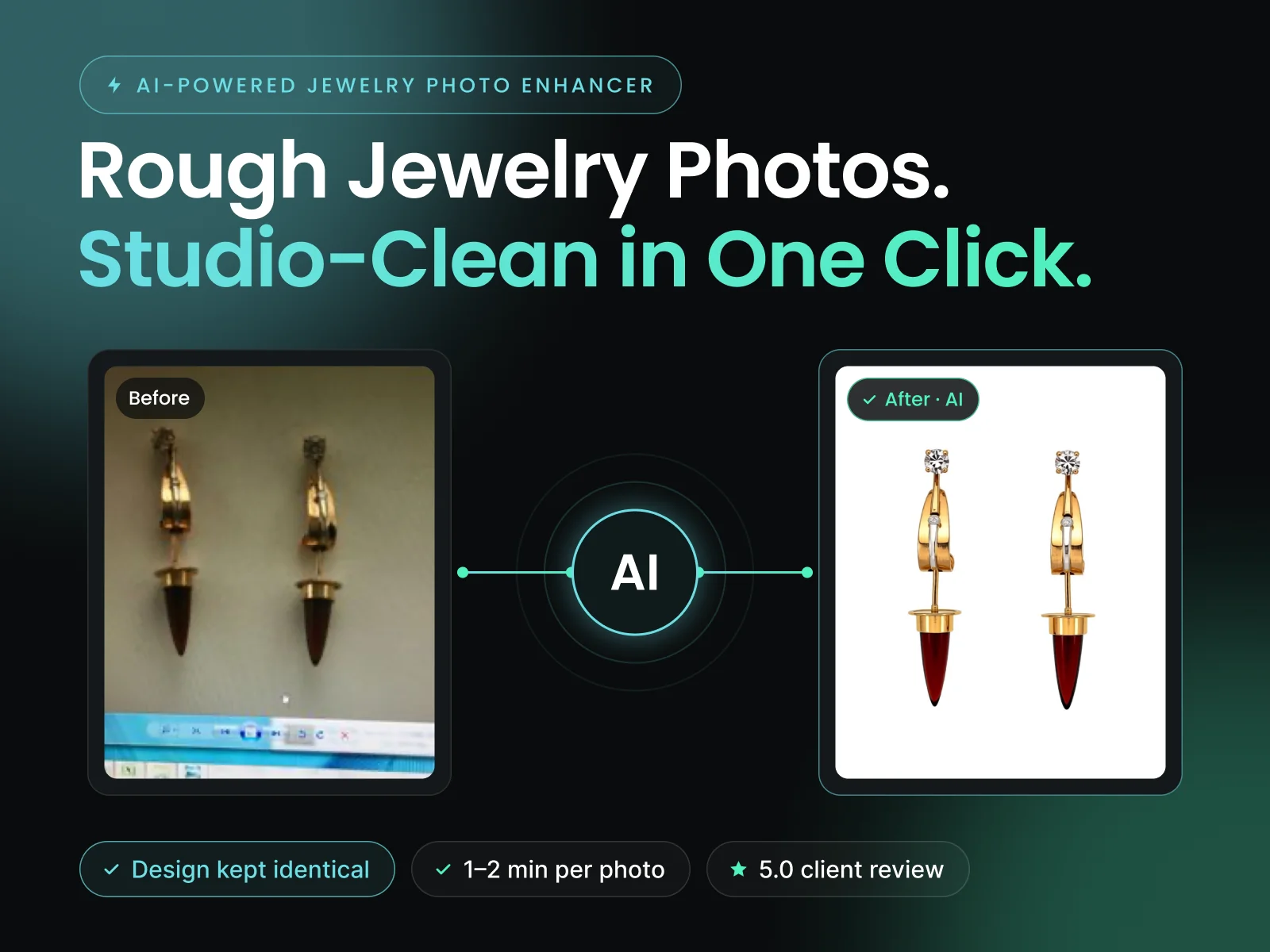
In the client's words: “I have over 5000 images to clean up, some for website, some for social media creation.”
The problem
A jewelry designer with 35+ years of experience had a big archive of rough photos: phone shots of designs on a screen, rings on stone, old camera files. ChatGPT stopped after a few pictures. A YouTuber sent him an AI workflow, but opening it, he said: “Oh that's scary.”
What I built
A simple app on his own computer:
- 1Pick a photo from Dropbox or upload one
- 2Click Enhance for a clean studio background
- 3The design, stones and angle stay exactly the same
- 4A live preview shows the photo as it forms
The hard part
Standard photo sharpening tools worked in testing, but they can quietly change a design. A jeweler can't accept that. So the plan changed to an AI photo editor that understands the picture and only cleans it. At about 30 GB it was too heavy for a laptop, so testing ran on a free cloud computer and the client paid nothing for servers.
The results
- Rough photos turned into clean product shots
- About 1 to 2 minutes per photo on his own PC
- “Super clean front end very professional”
- 5-star review and an offer to share profits